Video analysis for floorball coaches
Mark the moments.
Skip the 90 minutes.
Watch your game on YouTube, hit M every time something matters, and send the team a post with the clips they actually need to see. Line changes timed as you go.
Free · No account · Nothing stored · Videos never downloaded
One watch.
Four steps.
Nobody on your team will sit through a full game recording to find the four situations you care about. Marking turns one watch into a review they will open on their phone before practice.
Paste the link
Any public or unlisted YouTube video. It plays in the normal YouTube player, start time and all.
Hit M
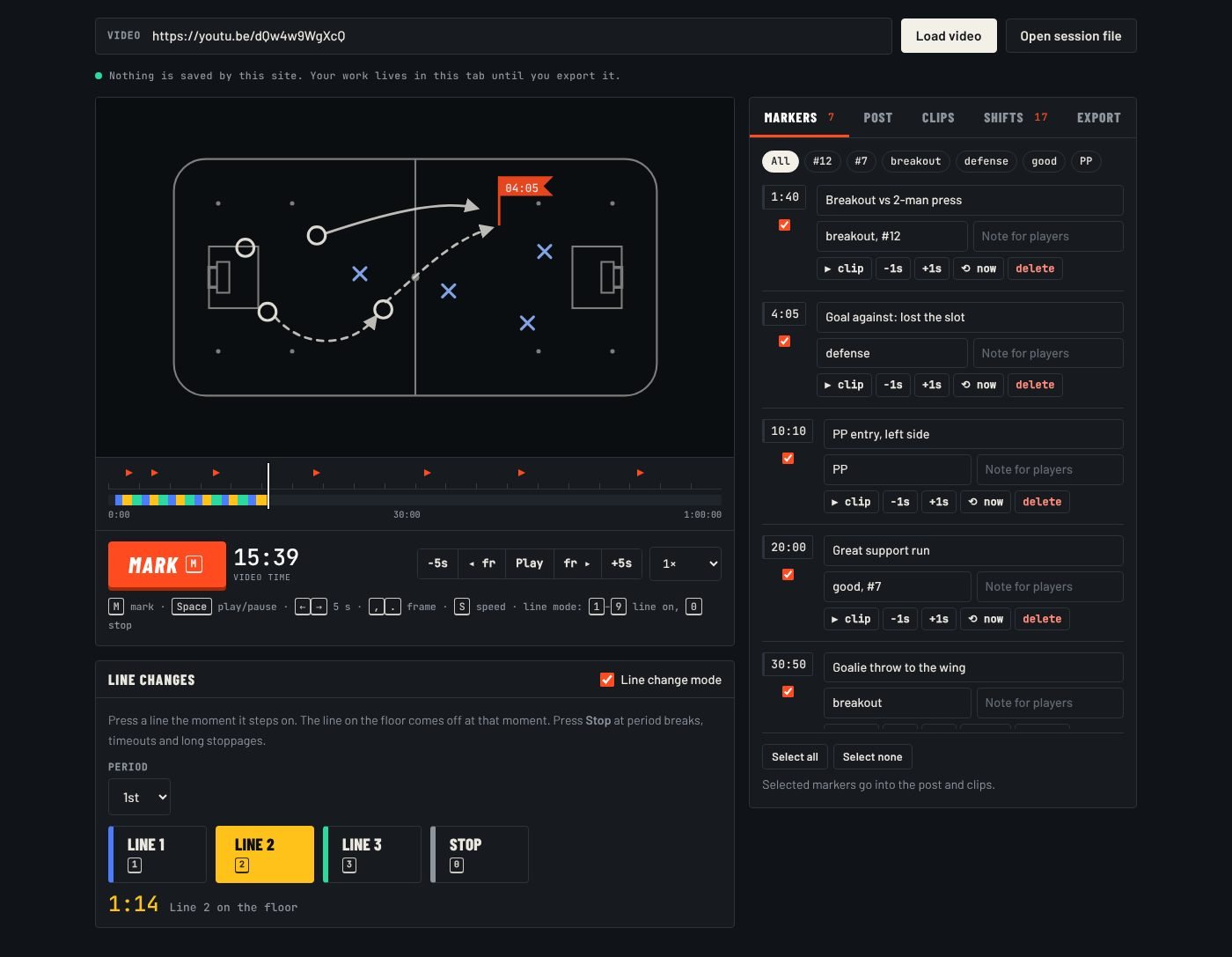
Mark the moment it happens. Don't stop to type. Slow motion, 5-second jumps and frame steps help you land it.
Name & tag
“Breakout vs 2-man press”, #12, PP. Untick the ones that didn't make the cut.
Send it
Copy a ready-made post for WhatsApp or email, or one playlist link that plays every clip in a row.
Built for the bench, not the edit suite
Fast enough to use the evening after the game.
Professional analysis software is powerful, expensive and slow to learn. Most amateur and youth teams already have what they need: a phone on a tripod and a YouTube channel. Video Marker fills the gap between the two.
What's in the kit
Everything a coach needs to go from full game to focused feedback, and nothing that gets in the way.
One key, exact time
Every press of M logs the video time to the hundredth. Nudge a second either way if you were late, or reset a marker to where the video is now.
Names, tags, notes
Tag by theme or by player number, then filter. Building a personal playlist for one player takes seconds.
Post generator
Headline, your commentary and numbered, named links, formatted for WhatsApp, email or Markdown. Copy, paste, done.
Virtual clips & playlists
Choose seconds before and after each mark. Clips play straight from YouTube between start and end times, so nothing is downloaded and the owner keeps control.
Line change timing
Press the line that steps on. Every shift is timed, coloured on the timeline and summarised per line: count, total, average, longest.
Documented JSON
Markers and shifts download as versioned JSON with a published schema, ready for spreadsheets, scripts or your club's analysis system.
Private by design
Your notes stay on your laptop.
Coaches work with footage of young players and honest notes about them. So the tool keeps nothing: no account, no database, no browser storage. Your work lives in the open tab and leaves only as files you export. Close the tab and it is gone from here.
Respect for video owners
Never downloaded. Never re-hosted.
Clips are played by the official YouTube player using start and end times. That keeps you inside YouTube's terms, and the club or league that uploaded the game decides who can watch it.
From the coaching notebook
Practical, field-tested writing on game video, feedback and floorball structure. No fluff, no sales pitch.
- Analysis Video analysis for floorball coaches: a practical workflow How to run video analysis for a floorball team without expensive software: what to film, how to mark and tag moments, how to give feedback players act on, and a weekly routine.
- Floorball Analysing line changes in floorball Why shift length matters in floorball, how to record line changes from game video, how to read shift data per line, and how to export it as JSON.
- Filming How to film a floorball game for video analysis A practical camera guide for coaches: where to put the phone, which settings to use, how to handle sound, light and halls, and how to upload a game so it is ready for marking.
- Tactics Reading breakouts on video: what floorball coaches should look for How to analyse your team's breakouts from game video: the moments to mark, the questions to ask, common patterns against pressure, and how to turn clips into a training focus.
- Coaching Giving video feedback to young players How to use game video with youth and junior players so it builds confidence and understanding: what to show, how much, how to talk about mistakes, and how to keep it safe and private.
Next game
Film it. Mark it. Send it before practice.